
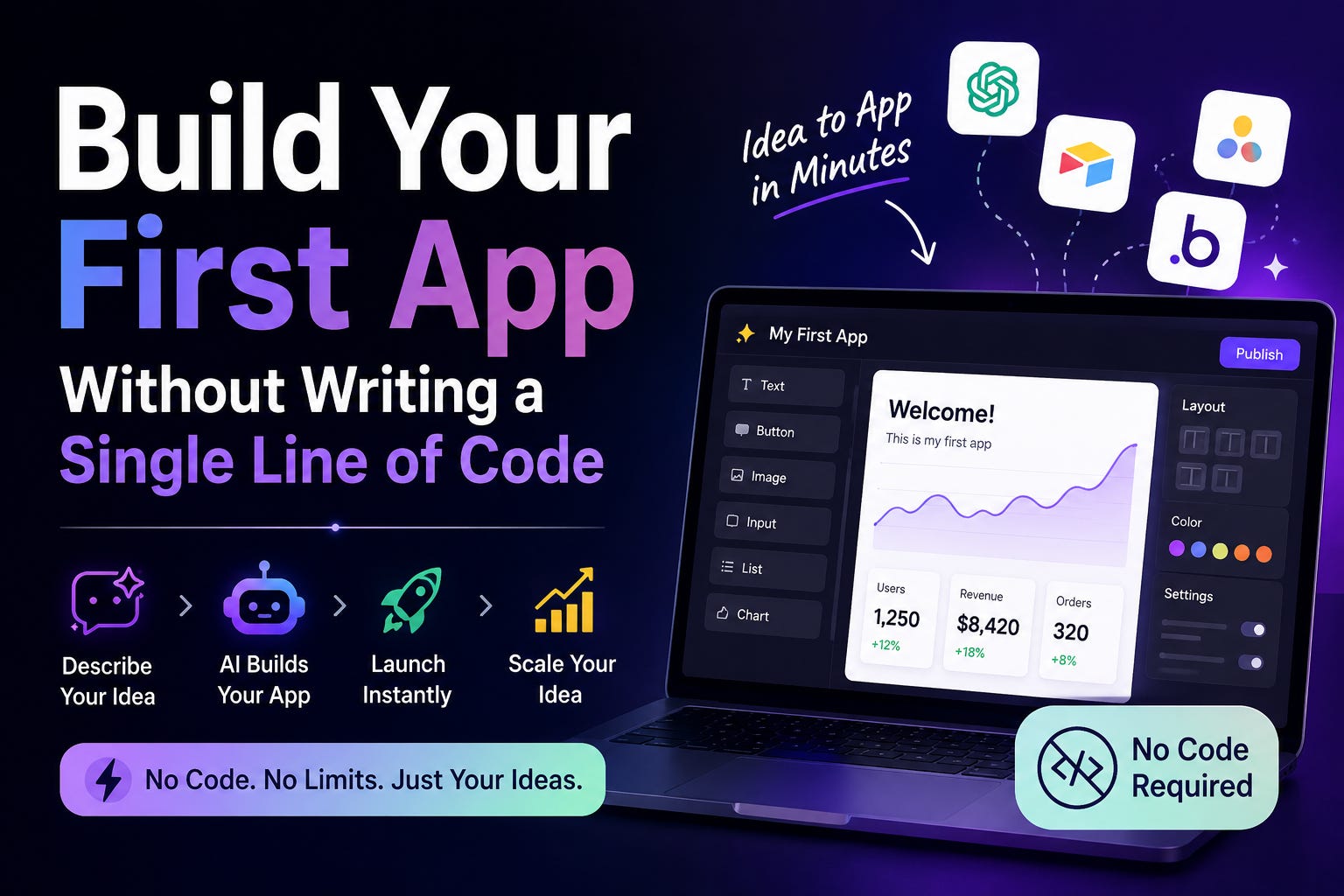
Build Your First App Without Writing a Single Line of Code
From idea to working product in one hour, using nothing but a free Claude account.

The 14 words that rewrote how software gets built
In February 2025, Andrej Karpathy, the former head of AI at Tesla, posted a tweet that got 4.5 million views.
It said: “There’s a new kind of coding where you fully give in to the vibes, embrace exponentials, and forget that the code even exists.”
He called it vibe coding.
Within a year:
Collins Dictionary named it Word of the Year
Merriam-Webster added it to the dictionary
MIT Technology Review listed it as one of the 10 Breakthrough Technologies of 2026
41% of all code written globally is now AI-generated
This is not hype. This is the new normal. And the part most people still do not understand is the most important part:
You do not need to know how to code to do this.
If you can describe what you want in plain English, you can build a working app. Today. By tonight.
This article walks you through the entire process. From zero to a working product. No prior experience required. Whether you are 15 or 75, the steps are the same.
Let’s go.
What vibe coding actually is
Forget every image you have of “coding.”
You are not opening a black terminal. You are not memorizing syntax. You are not staring at error messages that look like another language.
Vibe coding is this: you describe what you want, the AI builds it, you tell it what to change, it updates, and you keep going until you love it.
That is it. That is the whole thing.
Here is a real example. You open Claude and type:
Build me a personal finance tracker. I want to log expenses by category, see a monthly summary chart, and set budget limits that turn red when I go over. Use a clean, modern dark mode design.
Claude writes the code. A working app appears in the chat. You click around. You say make the chart bigger and use blue instead of green. Claude updates it. You say “add a button to export my data as a spreadsheet.” Claude adds it.
Twenty minutes later, you have a personal finance tracker that works.
The code exists somewhere underneath all of this. But you never need to see it. You never need to understand it. You are the director. The AI is the entire production team.
Why right now is the moment
A few numbers that should make you stop and think.
Microsoft reports that AI now writes roughly 30% of its code. Google says more than 25%. Shopify is targeting 90% autonomous coding by Q3 2026. Mercado Libre has 23,000 engineers, and Claude Code is already a core part of how they ship products.
These are the biggest software companies in the world. They are not experimenting with this. They are restructuring around it.
The skill that matters now is not writing code. It is describing what you want clearly and iterating until you get it.
That is a skill anyone can learn. A 15-year-old can learn it on a weekend. A 70-year-old retiree can learn it just as well. There is no math prerequisite. No degree required. No background needed.
The people who learn this now, while most are still skeptical, will be at a massive advantage as this becomes the default way all software gets built. Not because they are smarter. Because they started earlier.
Why Claude is the easiest place to start
There are dozens of vibe coding tools out there. Cursor, Lovable, Bolt, Replit, v0, and more. All of them work.
For a complete beginner, Claude has three advantages that matter:
1. You already know how to use it.
If you can have a conversation, you can use Claude. There is no new interface to learn. No code editor to install. No terminal to open. You type what you want. Claude builds it.
2. The app appears right in the chat.
When you ask Claude to build something, it creates a working preview directly in your conversation. You see it. You click on it. You test it. Immediately. No deployment step. No waiting. The moment Claude finishes, you can use it.
3. The model is genuinely strong at this.
Claude Opus 4.7 is the most capable coding model available right now. It does not just write code that looks right. It writes code that actually runs and does what you asked.
Free to start. No setup. Open a tab. Type. Build.
Step 1: Pick something you actually want to use
This is the single most important step. Get this right and you finish your first app. Get it wrong and you quit halfway.
Most tutorials tell beginners to build a to-do list. Please do not do this. A to-do list is the most boring possible first project. You will lose interest within ten minutes.
Build something you genuinely want.
If you are a student, build a study tool. A flashcard app for your exam. A homework tracker that shows your assignments and due dates.
If you cook, build a recipe organizer that saves your favorite meals and generates a shopping list.
If you work out, build a tracker that logs your lifts and shows progress over time.
If you manage a household, build a chore wheel for the family or a shared expense splitter for roommates.
If you run a small business, build a simple invoice generator or a client tracker.
If you are retired, build a medication reminder for yourself or a photo organizer for your grandchildren’s pictures.
The goal is something you will open tomorrow. That motivation carries you through the moments when something does not work on the first try.
Pick the boring useful thing. Not the impressive thing.
Step 2: Write your idea out in plain English first
Before opening Claude, sit down with a notes app and write four short answers.
What does the app do? One sentence. “It tracks my daily expenses and shows me where my money goes.”
Who uses it? “Just me, on my phone and laptop.” Or “Me and my husband, sharing one account.”
What does the user see? Walk through the screens. “A main screen where I can add an expense with an amount and category. A summary screen with a pie chart of this month’s spending. A list screen with every expense I have logged.”
What makes it useful? The features that solve your actual problem. “I can set a monthly budget for each category. Categories I am about to go over turn yellow. Categories I have already gone over turn red.”
What does it look like? “Clean and minimal. Dark background, white text, soft blue accent color. Modern and simple.”
That whole description is now your prompt. Most people skip this step and then wonder why their first app comes out generic. Five minutes of writing here saves you an hour of frustration later.
Step 3: Build the first version
Open Claude. Paste your description. Add one line at the top:
Build me a complete working app based on this description. Make it interactive and functional.
Hit send.
Within a few seconds, you will see a working preview of your app appear right inside the conversation.
This moment is the one that changes everything for most people. The first time you describe something in plain English and watch a working app appear in front of you, vibe coding clicks. You realize how big this actually is.
Your first version will not be perfect. That is expected. That is normal. That is fine.
The first version is not the finish line. It is the starting point.
Step 4: Iterate until it is right
This is where vibe coding becomes a craft.
Click through your app. What works? What does not? What is close but feels off?
Then tell Claude exactly what to change. The single biggest skill in vibe coding is specificity.
Compare these two messages:
❌ “Make it look better.”
✅ “The category colors are all too similar in the pie chart. Use distinctly different colors. The ‘Add Expense’ button is too small on mobile. Make it bigger and pin it to the bottom of the screen so my thumb can reach it easily.”
❌ “I do not like the layout.”
✅ “Move the pie chart to the top. Put the recent expenses list below it. At the very top of the page, add a header that shows my total spending this month next to my monthly budget.”
The clearer you are, the faster you get exactly what you want.
Most apps take three to five rounds of iteration to go from “rough first version” to “this is actually really good.” Complex apps might take ten. Stay patient. Each round gets you closer.
A useful trick: change one or two things per message. Not ten. When you try to change everything at once, you tend to get confused responses and you cannot tell what fix caused what change. Small, focused iterations work better.
Step 5: Add the features that make it yours
Once the basics work, this is where your app becomes genuinely useful.
Each new feature is just one more prompt. Here are real examples:
Add a recurring expenses feature. Let me mark rent, Netflix, and my phone bill as recurring so they automatically show up each month.
Add an export button that downloads all my expenses as a CSV file so I can open it in Excel.
Add a search bar at the top so I can quickly find any expense by name or category.
Add a way to split an expense with someone else and track how much they owe me.
Add a quick filter to see only expenses from the last 7 days.
You ask. Claude adds. You test. You refine. You move on.
This is where you can really feel the magic. Features that would take a developer hours or days to add take you about two minutes.
Step 6: Save and share what you built
Once your app is where you want it, you have options.
Keep it in the conversation. The app lives inside your Claude chat. You can come back to it anytime by reopening the conversation. Good for personal tools you use casually.
Download the code. Ask Claude to give you the app as a single HTML file. Save it to your computer. Open it in any browser. It works offline. You own it forever.
Put it on the internet. If you want others to use it, ask Claude to walk you through deploying it to a free service like Vercel or Netlify. You get a real URL like myapp.vercel.app that anyone can visit. The whole process takes about ten minutes the first time you do it. After that, it takes two.
That is it. From idea to live app on the internet, by one person who never wrote a line of code.
The 7 mistakes that kill first projects
After watching many beginners try this, these are the patterns that lead to people quitting before they finish.
1. Starting too big.
Your first app should be something you can finish in one or two sessions. A personal expense tracker. A workout logger. A recipe saver. Not a social network. Not a marketplace. Not a project management tool with 50 features. Finish a small thing first. Then build the next bigger thing.
2. Vague prompts.
“Build me something cool” produces nothing useful. “Build me a workout tracker that lets me log exercises by muscle group, tracks my one-rep max over time with a line chart, and uses a dark blue theme” produces something you actually want. Specificity is the entire skill.
3. Changing too much at once.
When you give feedback, change one or two things per round. Not ten. Trying to overhaul the layout, the colors, the features, and the data all in one message just confuses everyone, including you.
4. Not testing as you go.
Every time Claude updates your app, actually click through it. Try the buttons. Enter weird data. Find the problems now, before you build five more features on top of a broken foundation.
5. Giving up after the first bug.
Something will break. A button will not work. A chart will display wrong. This is part of the process. Tell Claude what went wrong. It will fix it. The difference between people who finish an app and people who quit is whether they push through the first three bugs.
6. Ignoring the visual design.
If you do not tell Claude what you want the app to look like, it gives you defaults. Defaults look generic. Spend one sentence on the color scheme, one on the layout, one on the feel. “Modern dark theme, rounded corners, blue accent color, clean sans-serif font” completely transforms the output.
7. Trying to understand the code.
This is counterintuitive but important. You do not need to read the code. You do not need to understand it. Your job is to evaluate the result. Does it do what you want? Does it look right? Does it work? That is everything that matters. The code is Claude’s problem, not yours.
10 first projects, ranked from easiest to hardest
All of these can be built by a complete beginner in one or two sessions.
A personal journal with daily entries and a mood tracker
A recipe organizer that saves and searches your favorite meals
A habit tracker with streaks and daily check-ins
A simple expense tracker with charts
A flashcard app for studying any subject
A workout logger with sets, reps, and progress over time
A bookmark manager that organizes links by category
A portfolio website to showcase your work or projects
An invoice generator that produces clean PDF invoices
A small CRM that tracks contacts and follow-up dates
Start with one or two. Get the feel of the process. Then work your way up.
A real first hour, if you have never done this before
Here is what your first hour should actually look like.
Minutes 0 to 10: Pick your project. Write the four short answers from Step 2. Be honest about what you actually want.
Minutes 10 to 15: Open Claude. Paste your description with the “Build me a complete working app” line at the top. Hit send.
Minutes 15 to 30: Click around your first version. Make a list of three things you want to change. Send them to Claude as one message.
Minutes 30 to 45: Repeat. Look at the updated version. Find three more things. Send them in.
Minutes 45 to 60: Add one feature you actually want. Test it. Tell Claude what to tweak.
At the end of one hour, you have a working app that is genuinely yours. Not someone else’s tutorial project. Yours.
That is the moment most people never expected they would reach. Most who get there never go back.
What this actually unlocks
Software used to be locked away. To build it, you needed years of training, expensive tools, and a specific kind of mind that liked symbols and syntax.
That gate is now open.
If you have an idea, you can build it. If something does not exist that you wish existed, you can make it. If a tool at work annoys you every day, you can build the version you actually want. If your kid needs a custom flashcard app for their spelling test, you can create one in twenty minutes.
This is not just about apps. This is about a fundamental shift in who gets to make things.
For most of history, the gap between “I have an idea” and “I built it” was enormous. For software, that gap is now about an hour.
The people who learn this now, while it is still new and most are still doubting, will look back in a few years and realize they got in early. Not because they were technical. Because they were curious and willing to try.
Most readers will close this article and think, “I should try that sometime.”
The ones who open Claude right now and describe their first app will have a working product by tonight.
Be one of those.
Indus AI is a daily brief on what’s actually changing in AI, written for builders, beginners, and everyone in between. If this helped, share it with one person who would benefit. That’s how this newsletter grows.